Photos 2, 3 and 4
Book of Revelation, as a Whole Explained: Help for a translation in your language (2/2)
Photos 2, 3 and 4
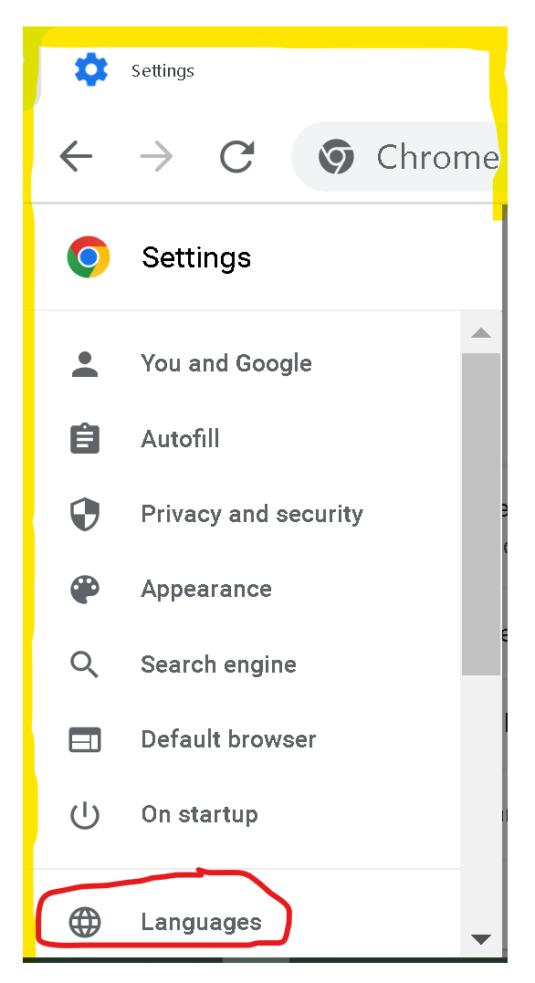
The second instruction photo
^ Click on the 'three stripes' of the settings on the left side of the browser.
Then click on Languages.
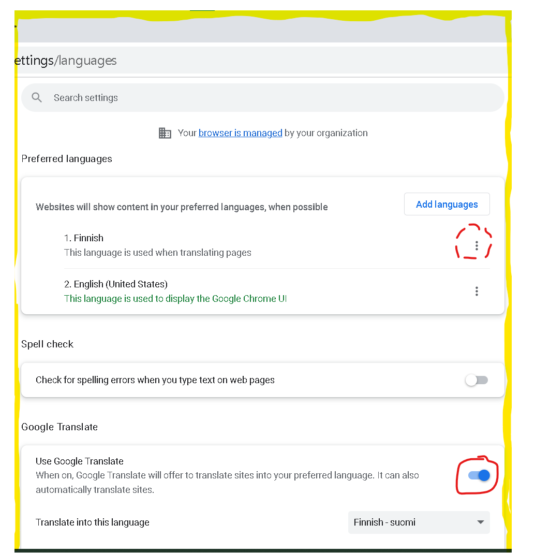
The third instruction picture
^ If your language is not already at the top:
Click the 'three dots' for your language, then click Move to top.
^ Once your language is set as your first language, go to 'Use Google Translate'.
Activate the toggle button.
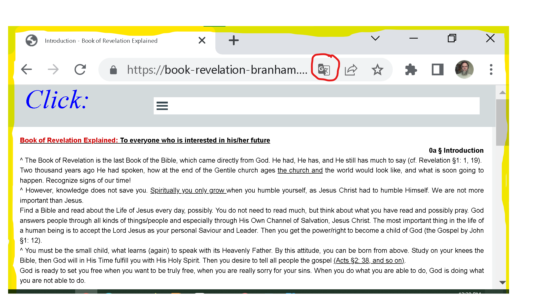
The fourth instruction photo
^ Now the Google Translate icon has become visible on the right side of the address bar.
When you visit a page that you want translated into your language, click on it.